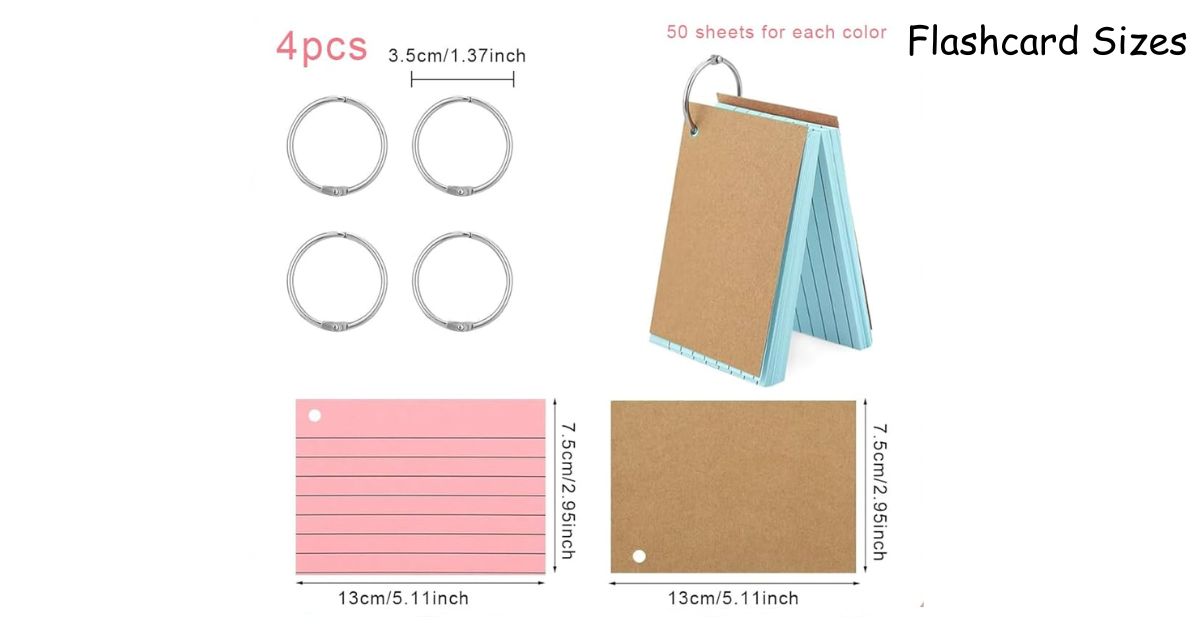
You’re sitting at your desk with a pack of index cards, scissors, and a vague plan. Or you’re in Canva staring at a blank canvas wondering what dimensions to type in. Or you just bought a set of flashcards for your kid and they’re way smaller than you pictured.
Flashcard size is one of those things that feels obvious until you actually need to know it. Then it gets confusing fast.
This guide covers what you need — actual sizes, measurements in every unit, pixel dimensions for digital design, and a few things most people never think to mention.
The Size Most People End Up Using
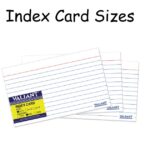
Walk into any office supply store and grab a pack of index cards. The standard size is 3 x 5 inches. That’s 76 x 127 mm, or 7.6 x 12.7 cm.
It became the default because it works. One question on the front, one answer on the back, plenty of room for a short sentence or a small diagram. Fits in a pocket. Stacks cleanly. Cheap and easy to find anywhere.
That said, it’s not the only size worth knowing about.
The Full Size Range, Actually Explained
There are four sizes that come up consistently across flashcard makers, study apps, and print shops. Here’s what each one is actually good for — not just the dimensions, but the real use case behind them.
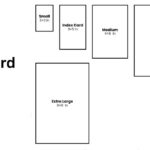
| Size | Inches | mm | cm |
| Mini | 2.5 x 3.5 | 64 x 89 | 6.4 x 8.9 |
| Standard | 3 x 5 | 76 x 127 | 7.6 x 12.7 |
| Large | 4 x 6 | 102 x 152 | 10.2 x 15.2 |
| Jumbo | 5 x 7 | 127 x 178 | 12.7 x 17.8 |
Mini (2.5 x 3.5 inches) is the size of a playing card. It’s genuinely useful for vocabulary drilling — especially language learning — where you only need one word per side. The small size forces simplicity, which is actually a feature, not a limitation. You can carry 60 of them in a jacket pocket without noticing.
Standard (3 x 5 inches) covers most situations. Room for a short question, a definition, a formula, even a rough sketch. It’s the size that index card boxes and binder rings are built around, so storage is easy.
Large (4 x 6 inches) is underused and underrated. That extra inch makes a real difference when you’re drawing a biology cell, writing out a chemical reaction, or including a small map. It doesn’t feel significantly bigger in your hand, but the writing space opens up noticeably.
Jumbo (5 x 7 inches) is less of a study tool and more of a teaching or display tool. It works well for young kids, for classroom use, or for any set where images need to be clearly visible from a short distance.
Pixel Dimensions for Digital Design
This is where most size guides fall apart. They list inches but skip the part designers actually need.
Pixel dimensions depend on resolution. For anything you’ll print, use 300 DPI. For screen-only display, 72 DPI is enough.
| Size | Inches | 300 DPI (Print) | 72 DPI (Screen) |
| Mini | 2.5 x 3.5 | 750 x 1050 px | 180 x 252 px |
| Standard | 3 x 5 | 900 x 1500 px | 216 x 360 px |
| Large | 4 x 6 | 1200 x 1800 px | 288 x 432 px |
Setting Up in Canva
Canva’s built-in flashcard template isn’t actually standard flashcard size. It defaults to something closer to a business card. If you want real 3 x 5 dimensions, go to “Custom size” and enter either 3 x 5 inches or 900 x 1500 pixels manually.
One thing almost no template mentions: if you’re sending your design to a print shop, add a 0.125-inch bleed on every side. That means your 3 x 5 card file should be set up at 3.25 x 5.25 inches. Without that bleed, the cutter can land slightly off and leave a thin white border on one edge. It’s a small detail that makes a visible difference.
Anki and Quizlet
These apps scale cards to your screen automatically, so there’s no locked-in pixel size when you’re using them digitally. But if you’re exporting to print from either platform, 900 x 1500 px at 300 DPI gives you clean, sharp output for standard cards.
Read Also: GoodNotes Paper Size: Which One Should You Actually Use?
Cards for Kids: Size Actually Changes Everything
A 3 x 5 card is fine for a teenager but awkward for a five-year-old. Small fingers need grip space at the edges. When the card is too small, kids end up holding it by the printed area, smudging it, or dropping it constantly — and then they lose interest.
For ages 2 to 4, 5 x 7 inches is the right call. Big enough to hold with two hands comfortably, and the larger surface means images can actually be seen clearly. Laminating these is worth it — kids this age are rough on paper.
For ages 5 to 8, 4 x 6 works well. It feels like a real card without being overwhelming. Good for sight words, numbers, letters, or anything where a simple image pairs with a word.
Cardstock thickness matters here too. Thin paper bends and tears fast with young kids. Go for 110 lb cardstock at minimum. It holds up, feels more solid in small hands, and survives being carried around in a backpack.
Printing at Home: What Actually Fits on a Sheet
If you’re printing on standard 8.5 x 11 paper, here’s how the cards fit:
| Card Size | Cards Per Sheet |
| 2.5 x 3.5 | 8 |
| 3 x 5 | 4–5 |
| 4 x 6 | 4 |
For 3 x 5 cards, landscape orientation on the page gives you the cleanest layout. Use guides or ruler marks in your design tool to keep everything aligned before printing double-sided and cutting.
Set your printer to “heavy paper” or “cardstock” mode if you’re using anything thicker than regular copy paper. It slows the feed slightly but prevents smearing and misalignment.
Things People Get Wrong
More space doesn’t mean better studying. A big card crammed with information is just a messy note. Flashcards work because they force one idea per card. If you’re filling an entire 4 x 6 card with text, the size isn’t your problem — the content structure is.
Index cards are flashcards. These are the same thing. A 3 x 5 index card from any store is exactly what you need. There’s no special “flashcard stock” you’re missing.
Canva’s default isn’t standard. Worth saying again because it catches a lot of people off guard. Always set your canvas manually in Canva if you want true flashcard dimensions.
Small cards aren’t a downgrade. Mini cards (2.5 x 3.5) get dismissed as the “travel option,” but for pure repetition drilling — vocab lists, quick math facts, dates — smaller is often faster and better. Less to look at means quicker processing.
Custom Sizes Worth Considering
Standard sizes cover most situations, but sometimes you’re better off going custom.
For language learning with longer phrases, 3.25 x 5.5 inches (slightly bigger than standard) gives you room for a full sentence without jumping to 4 x 6.
For equations or formulas that run long, a taller card — something like 3 x 7 inches — gives you vertical space to write out multi-line math without shrinking your font down to unreadable.
For kids’ emotion or social skills cards where the image is the whole point, 4 x 6 in landscape orientation lets a face or expression fill the card naturally.
You can cut any of these yourself from cardstock sheets, or set custom dimensions in any design app. There’s no rule against it.
Read Also: 12 Common Things That are 1 Inch Long
Quick Answers to Real Questions
Is 3 x 5 or 4 x 6 better?
3 x 5 for text-heavy content. 4 x 6 when you need visuals or more writing space. Neither is universally better.
What’s the flashcard size in mm for standard cards?
76 x 127 mm.
Can I use regular printer paper?
Technically yes, but it bends and feels flimsy. 65–110 lb cardstock holds up much better and feels more like an actual card when you’re flipping through a stack.
What size PDF should I use for printable flashcards?
Set each page to 3 x 5 inches (or add a bleed and use 3.25 x 5.25). Anyone who downloads and prints it gets the right dimensions automatically.
Do I need to laminate?
Not for adults using cards for a few months. For kids’ cards or any set you want to last years, lamination makes a real difference in durability.
The Short Version
Standard is 3 x 5 inches. That covers most people. Go larger (4 x 6) if you need visuals or diagrams. Go smaller (2.5 x 3.5) if portability is the priority. Go bigger (5 x 7) for young kids.
For digital design, set your canvas to 900 x 1500 pixels at 300 DPI for a standard print-ready card. Add a bleed if you’re printing professionally.
Cut a test card from scrap paper before you print a full batch. It takes two minutes and tells you immediately whether the size actually works for how you study.

I am the editor and author of StoriesRadius.com, a blog about measurements and dimensions. I enjoy turning numbers and sizes into simple stories that anyone can understand. From everyday objects to curious facts, I share clear guides based on real research and experience. My goal is to make learning about length, height, and size fun, useful, and easy for all readers.