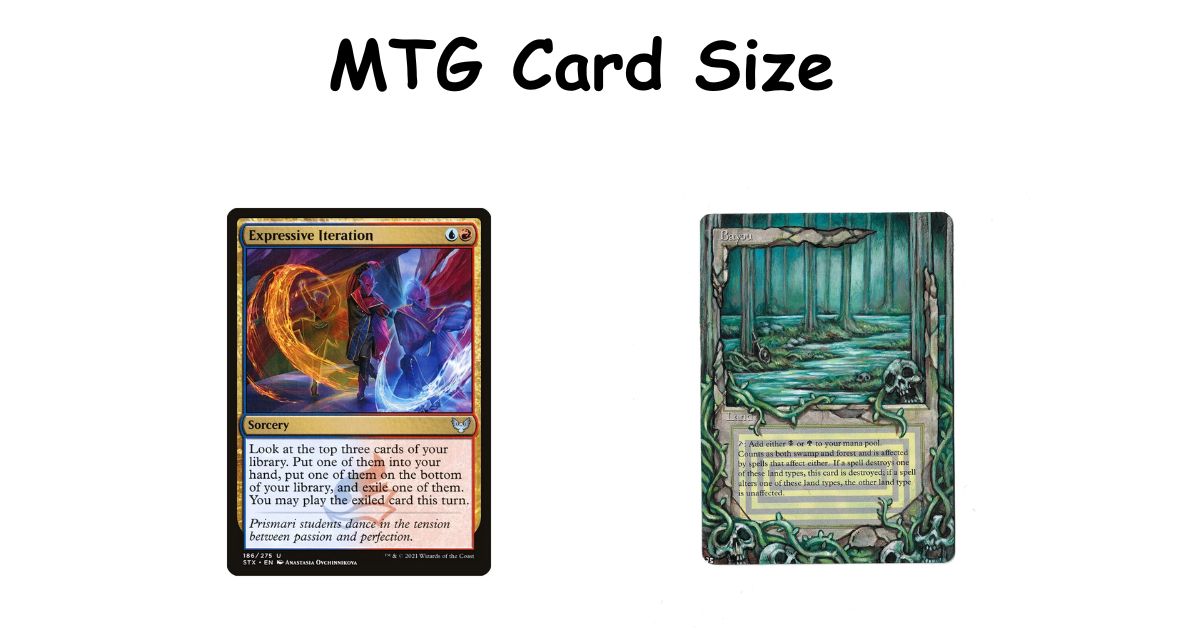
You’re holding a card in your hand. You’ve held thousands of them. But the second someone asks you to print one, design one, or buy sleeves for one — suddenly you realize you don’t actually know the dimensions.
That’s what brings most people here. Let’s fix that.
The Core Numbers
An MTG card is 63mm wide by 88mm tall. In inches, that’s 2.48 x 3.46.
You’ll see 2.5 x 3.5 inches floating around on forums and older guides. That’s a rounded estimate — technically 63.5 x 88.9mm — and it’s slightly too big. Sleeves that fit 63 x 88mm cards can feel tight around cards printed at that rounded size. For playing and sleeving, the difference is barely noticeable. For printing proxies at home, it matters more than you’d expect.
This size has stayed the same since 1993. Thickness sits around 0.30–0.32mm. Weight is roughly 1.7–1.8 grams per card — newer cards (post-2015) tend to run a touch heavier at 1.8g, something most guides haven’t caught up to yet.
Why You’re Looking This Up
People land on this page for a handful of different reasons, and they all need slightly different answers.
You want to print proxies. You need pixel dimensions and bleed information, not just millimeters. Jump to the pixel section below.
You’re buying sleeves. You want to know what fits without guessing at the store. Standard 66x91mm sleeves work. That’s your answer.
You play multiple card games. You want to know if your Pokémon sleeves work on MTG cards, or why your Yu-Gi-Oh sleeves feel wrong. Size comparison is further down.
You’re designing in Photoshop or another tool. Canvas size, DPI, bleed, safe zones — it’s all here.
Pixel Dimensions for Printing and Design
Millimeters describe the physical card. Pixels describe the digital file. Both matter depending on what you’re doing.
At 300 DPI — the standard for home printing — a 63 x 88mm card comes out to 744 x 1039 pixels. That’s clean, printable, and works well on most inkjet setups.
At 600 DPI, you’re working with 1488 x 2079 pixels. Use this when sending files to a professional print service. The detail difference is real, especially on cards with intricate artwork or small text.
72 DPI is screen resolution. It’s fine for digital previews. Print from it and you’ll get a blurry mess — don’t.
Bleed and Safe Zones
Add 3mm of bleed on all sides. That means your artwork extends slightly beyond where the card gets cut. Without it, a slightly off-center cut leaves a white sliver on one edge.
Keep all text and important design elements at least 3mm inside the trim line. Printers aren’t perfectly precise. That buffer saves you.
Photoshop Setup
New document: 63 x 88mm (or 2.5 x 3.5 inches), 300 DPI, RGB color mode, 0.125-inch bleed on all sides. Rounded corners at 3mm radius. Export as PDF/X-1a for any professional printer — that format locks dimensions and color settings in place.
Free templates from MTG.design or MPC eliminate most of the setup work if you’d rather skip building from scratch.
Read also: Pokémon Card Dimensions: Everything You Actually Need to Know
The Aspect Ratio
63:88 simplifies to roughly 5:7. It’s intentionally non-square — tall enough for a full text box, artwork, and card name without feeling oversized in hand.
When you resize card images, always lock the aspect ratio. Stretch it even slightly and mana symbols look distorted, text wraps differently, and the whole thing reads as wrong even if someone can’t immediately say why.
One detail that catches designers off guard: the art box size changed after 2014. Modern card frames use roughly 53 x 39mm for artwork. Original frames used about 48.5 x 39mm. If you’re building a proxy based on an older card’s layout, use the older art box or the artwork won’t sit correctly inside the frame.
Fitting Cards on Paper
| Paper Size | Cards Per Sheet | Layout | Notes |
| A4 | 15 | 3×5 | 2mm gaps; tight but works |
| US Letter | 9 | 3×3 | More forgiving for beginners |
| A3 | 35+ | 5×7 | Good for bulk runs |
A4 gives you more cards per sheet but less margin for error. US Letter is more forgiving if your printer isn’t perfectly calibrated.
The rule that matters most: print at exactly 100% scale. No “fit to page.” No “shrink to printable area.” Those settings quietly resize your output and you won’t notice until cards don’t fit their sleeves. Crop marks help you cut straight. Test one card on scrap paper before committing to a full sheet.
How MTG Cards Compare to Other Games
| Game | Size (mm) | Sleeve Fit |
| MTG Standard | 63 x 88 | Standard 66x91mm |
| Pokémon TCG | 63 x 88 | Identical |
| One Piece TCG | 63 x 88 | Near-perfect |
| Yu-Gi-Oh | 59 x 86 | Mini sleeves only |
| Archenemy Oversized | ~89 x 127 | Specialty only |
MTG, Pokémon, and One Piece TCG share the same footprint. One pack of Dragon Shield standard sleeves covers all three. Yu-Gi-Oh cards are smaller — those sleeves will slide around on MTG cards and won’t protect them properly.
Cutting and Corners
Printed cards have square corners. Real MTG cards don’t. That gap is what makes proxies look obviously off.
A corner punch at 1/8-inch (3mm) radius after a guillotine cut gets you close to the real thing. It’s slower than a die cutter but costs almost nothing if you already have a punch.
Steel rule die cutters handle 9 cards per press with clean R3–4mm corners. Custom dies run $100–300. Expensive upfront, but if you’re printing regularly, it’s worth it. Specify 0.30mm card stock tolerance when ordering — that matches actual card thickness.
For paper: matte 330gsm black-core stock is the closest match to real cards. Glossy paper looks flashy but the ink shows through from the back, which defeats the purpose.
Sleeves and Storage
Standard outer sleeves are 66x91mm. Perfect-fit inners for double-sleeving run 64x89mm.
Double-sleeving adds bulk — roughly 10–15% more height on a 60-card stack. An unsleeved 60-card deck runs about 65mm tall. Double-sleeved, that grows enough to matter when choosing a deck box. Look for something at least 70mm deep on the card-height side, or cards won’t sit flat.
Need a rough card count without counting? Weigh the stack. About 1kg equals 560 unsleeved cards. Not exact, but close enough for bulk sorting.
Read also: Playing Card Size: Measurements in Inches, CM, MM & Pixels
Mistakes That Are Easy to Avoid
Using the rounded 2.5 x 3.5 inch measurement for print files. It’s slightly large. Cards printed at that size can feel snug or stick slightly in standard sleeves.
Forgetting bleed. Your art should extend 3mm past the trim line on every side. This is the most common proxy printing mistake and the most visible once it happens.
Buying the wrong sleeves. Yu-Gi-Oh sleeves are smaller. They don’t fit MTG cards. Check the size before buying in bulk.
Using glossy paper. Looks good on screen, causes shine-through problems in print. Matte black-core stock handles opacity better.
Mixing card eras without checking weights. If you’re weighing cards to estimate counts, older and newer cards have slightly different weights. It won’t throw off small estimates, but bulk counts can drift.
Quick Answers
What sleeve size fits MTG cards?
66x91mm outer sleeves. 64x89mm for perfect-fit inner sleeves.
Are MTG and Pokémon cards the same size?
Yes. 63 x 88mm for both.
What’s the pixel size for an MTG card?
744 x 1039 at 300 DPI. 1488 x 2079 at 600 DPI.
How many cards fit on A4?
Up to 15 in a 3×5 layout with 2mm gaps.
What’s the aspect ratio?
63:88, roughly 5:7.
The Part Most People Miss
The number itself isn’t hard — 63 x 88mm, done. What trips people up is the gap between knowing the size and actually using it correctly.
Bleed settings, scale options, paper stock, corner radius — these are the details where things quietly go wrong. A card that’s 0.5mm too tall won’t feel right in a sleeve. A print job without bleed looks amateur the second you cut it. A file built at 72 DPI wastes an entire print run.
Nail those details, and the size number takes care of itself.

I am the editor and author of StoriesRadius.com, a blog about measurements and dimensions. I enjoy turning numbers and sizes into simple stories that anyone can understand. From everyday objects to curious facts, I share clear guides based on real research and experience. My goal is to make learning about length, height, and size fun, useful, and easy for all readers.