You’re halfway through designing a custom card game when you realize — you never actually checked what size a playing card is. Or maybe you’re trying to print a deck at home and the template is asking for bleed, safe zone, and resolution, and suddenly a simple project feels complicated.
This is the article that clears all of that up.
The Number Most People Are Looking For
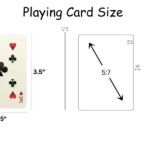
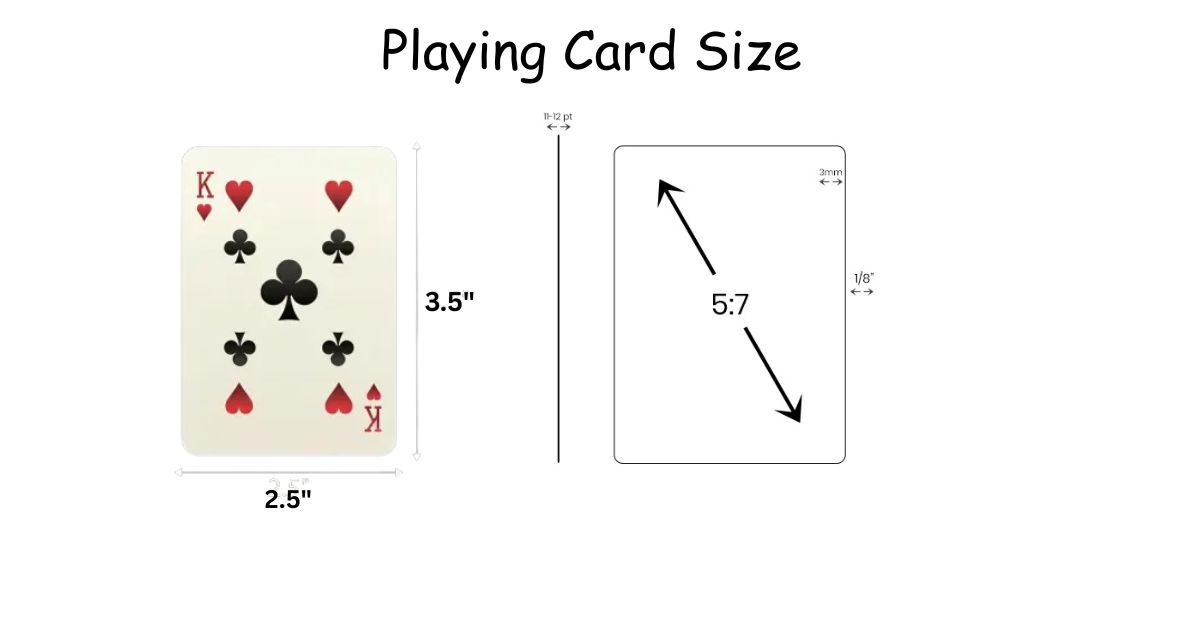
A standard playing card is 2.5 inches wide and 3.5 inches tall.
That’s the poker size — the one used in most card games worldwide. Here’s the same measurement across different units:
| Unit | Width | Height |
| Inches | 2.5 | 3.5 |
| Centimeters | 6.35 | 8.89 |
| Millimeters | 63–64 | 88–89 |
Manufacturers sometimes round slightly — you might see 63.5 mm instead of 64 mm. That’s a difference so small you’d never feel it in your hand.
Not Every Card Is the Same Size
This surprises a lot of people. “Playing card” isn’t one fixed thing — it’s a family of formats. Here’s how they compare:
| Format | Width | Height | Why It Exists |
| Poker (standard) | 2.5 in / 64 mm | 3.5 in / 89 mm | Default for most games |
| Bridge | 2.25 in / 57 mm | 3.5 in / 89 mm | Easier to hold 13+ cards |
| Mini / Travel | 1.75–2.0 in / 44–50 mm | 2.5–2.75 in / 63–70 mm | Kids, travel, compact sets |
| Jumbo | 3.5 in / 89 mm | 4.5–5.5+ in / 115–140+ mm | Teaching, low vision, performances |
| TCG (Magic-style) | 2.5 in / 64 mm | 3.5 in / 89 mm | Trading card games |
The bridge card looks nearly identical to a poker card in photos, but that quarter-inch difference in width is real. When you’re holding 13 cards at once, narrower cards fan out without straining your fingers. It’s a small change with a practical payoff.
Mini cards are roughly half the area of a standard deck. Fun for a bag or a kids’ game — not ideal if reading small numbers is already a challenge. Jumbo cards flip that entirely; they’re meant to be seen from across a table or a classroom.
For Digital Design: Pixels and Ratio
Once you move into screen or app design, inches stop mattering. What you need is the aspect ratio and a pixel size that fits your project.
A standard card’s ratio is 5:7 — that’s what 2.5 × 3.5 simplifies to. Keep that shape and your cards will feel instantly recognizable.
Practical pixel sizes:
- 750 × 1050 px — best for print files (300 DPI)
- 375 × 525 px — screen mockups and lower-res previews
- 500 × 700 px — clean starting point for game UI
You can scale any of these up or down and the shape stays right. Where people go wrong is squishing cards into a square container — the proportions look off even to someone who’s never thought about card dimensions before.
For product listings or gallery thumbnails, placing the card in a square frame with some breathing room looks better than cropping tight to the edge.
Read Also: Flashcard Sizes: The Practical Guide Nobody Actually Writes
If You’re Printing Custom Cards
This is where most of the confusion actually lives. The card size is simple. The print setup around it — less so.
Bleed is extra artwork that extends beyond the cut line. Printers aren’t perfectly precise, so if your artwork stops exactly at the card edge, you risk a thin white strip appearing along one side. Standard bleed is about 2 mm on each edge, meaning your file should be slightly larger than the finished card.
Safe margin is the opposite concern. Text or important design elements that sit too close to the edge might get trimmed. Keeping anything critical at least 5 mm from the finished edge protects it.
Resolution matters if it’s going to print. Designing at 72 DPI looks fine on your screen but comes out blurry on paper. Use 300 DPI minimum for anything that goes to a printer.
One more thing — if you want standard card sleeves to fit your custom deck, your card width needs to land at 63–64 mm. Sleeves are sized for poker-size cards, and even a couple of millimeters off will make them feel loose or won’t fit at all.
Where People Go Wrong
Mixing up poker and bridge size when ordering. They look nearly the same in product photos. If you design artwork for one and print on the other, your layout will look wrong — things will feel cropped or slightly stretched. Always confirm the format before you finalize a print order.
Forgetting that card thickness adds up. Each card is roughly 0.17–0.30 mm thick. A full 52-card deck sits about 14–20 mm tall when stacked. If you’re designing a box, a tray, or any kind of packaging, you need to account for that stack height — not just the card’s face dimensions.
Assuming TCG sleeves are a different size. They’re not. Magic: The Gathering and most other trading card games use the same 63–64 mm width as poker cards. Standard sleeves fit both.
Read Also: Index Card Sizes: Which One Do You Actually Need?
Quick Answers to Common Questions
Is poker size the same as standard size?
Yes. Those two names refer to the same card — 2.5 × 3.5 inches. Different people call it different things.
How big are tarot cards compared to playing cards?
Noticeably bigger. Most tarot cards run about 2.75 × 4.75 inches — taller and slightly wider than a standard deck.
What pixel size works best for a card game app?
Start with 500 × 700 px. It’s clean, scalable, and holds the correct 5:7 shape. Scale up if you need sharper detail.
Can playing cards be printed at home?
Yes, but they won’t feel like a real deck. Home cardstock doesn’t have the coating or weight that makes cards shuffle well. Fine for prototypes — not for anything you want to play with long-term.
What to Actually Focus On
The size itself is easy: 2.5 × 3.5 inches. That’s what most people need and it takes five seconds to remember.
Everything else — bleed, margins, pixel resolution, sleeve compatibility — only matters if you’re designing or printing. And now that you know those specifics, none of it should slow you down.
Pick your format based on who’s playing and how many cards they’ll hold. Keep your artwork inside the safe zone. Design at 300 DPI for print, use a 5:7 ratio for screens. That’s genuinely all there is to it.

I am the editor and author of StoriesRadius.com, a blog about measurements and dimensions. I enjoy turning numbers and sizes into simple stories that anyone can understand. From everyday objects to curious facts, I share clear guides based on real research and experience. My goal is to make learning about length, height, and size fun, useful, and easy for all readers.